Many users note that when viewing any image in the new built-in Photos app in Windows 10, it takes a long time to open. The delay when starting Photos UWP app may be 10-30 seconds and even up to several minutes. If the Photos application is already running, other images open in it instantaneously. It means that the “Photos” starts slowly only when first launch.
Windows 10 also has the classical Windows Photo Viewer application, but it is disabled by default. Most users just enable the old app to view images using the REG file (see the article How to restore the Windows Photo Viewer on Windows 10?).
If you still want to use the built-in modern Photos app to view images, you can improve its performance using the following tips.
The problem of the slow first launch of Photos is in its default settings. When starting, the Photos app tries to synchronize the image with your OneDrive account in order to make it easier for you to share it with your friends. Also, hardware acceleration is enabled by default in your app independent of whether your computer supports it.
So, to launch the Photos application in Windows 10 more quickly:
Open its settings (three dots in the top right -> Settings)
Disable the Microsoft OneDrive and People (off) in the Photos Settings.
In the Video section, disable the hardware acceleration: Use hardware-accelerated video encoding = off.
Close Photos and try to start it again. This time it should launch much faster.
If it did not help, try to reset Photos data and settings:
Open Settings -> Apps -> Apps & features;
,Find “Microsoft Photos” In the list of apps and open its Advanced options
On the next screen click the Reset button. All settings and app data will be reset.
If the reset did not help, you can try to remove Photos using PowerShell:
Acer’s Nitro 5 gaming laptop says you can have a modest budget of $800 or less and get a decent amount of horsepower for playing AAA games. While most of the Nitro 5’s parts are midrange at best, it takes things up a notch with its new Coffee Lake CPU, offering solid mobile gaming performance in an affordable, if somewhat hefty package.
Gamers who insist on maxing out their graphics will have to settle for middling frame rates on the Acer Nitro 5, and battery life is on the short side. But even with those caveats, the Nitro 5 is a good value.
The Acer Nitro 5 has once again pipped a product with a similar spot for the top spot. Like the TUFFX505, the i5-9300H and the GTX 1650 is a really great pair, especially considering the price. If you want anything more than that, you are going to need to pay significantly more. This one also comes with a slightly better storage option, a combo of 128GB SSD and 1TB HDD.
Like to learn about computer and network security or to find vulnerabilities in your network or are you searching for best-operating systems for ethical hacking and pen testing or like to know which is the favorite operating system of hackers? — then stop! Here is the list of most widely using infamous ethical hacking operating systems or we can say digital forensic tools.
Almost all the best ethical hacking operating systems for security experts arebased on Linux kernel, so favorite operating systems of all types of hackers are always Linux — though security focused operating system is a security analyst’s best friend. But also keep in mind that, simply having these operating systems doesn’t make anyone a security expert or hacker — you should also learn some essential programming languages to enrich your knowledge in this field.
Note : Only For Educational Purposes
Listed operating systems are for educational purposes only. Do not try to use it if it’s not legal in your country. And also not use them to harm anybody or to gain unauthorized access to any account you do not own. Use this software only for analyzing your own security. I do not take any responsibility for anything you do using this application. Use at your own risk
1. Kali Linux
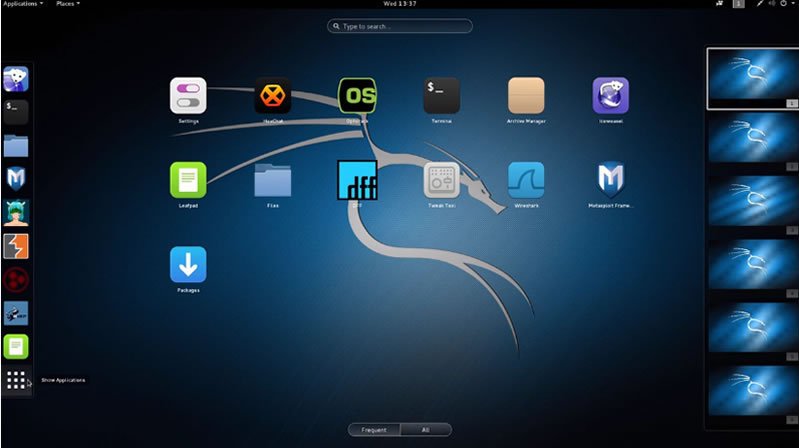
Kali Linux maintained and funded by Offensive Security Ltd. is one of the well-known and favorite ethical hacking operating systems used by hackers and security professionals. Kali is a Debian-derived Linux distribution designed fReal hackers or digital forensics and penetration testing. It was developed by Mati Aharoni and Devon Kearns of Offensive Security through the rewrite of BackTrack, their previous forensics Linux distribution based on Ubuntu.
Apart from desktop support, Kali Linux also has a dedicated project set-aside for compatibility and porting to specific Android devices, called Kali Linux NetHunter. When comes to security tools, this top ethical hacking operating system is equipped with 600+ preinstalled pen testing tools and they are frequently updated and are offered for different platforms like ARM and VMware. Now Kali Linux is based on a rolling release model.
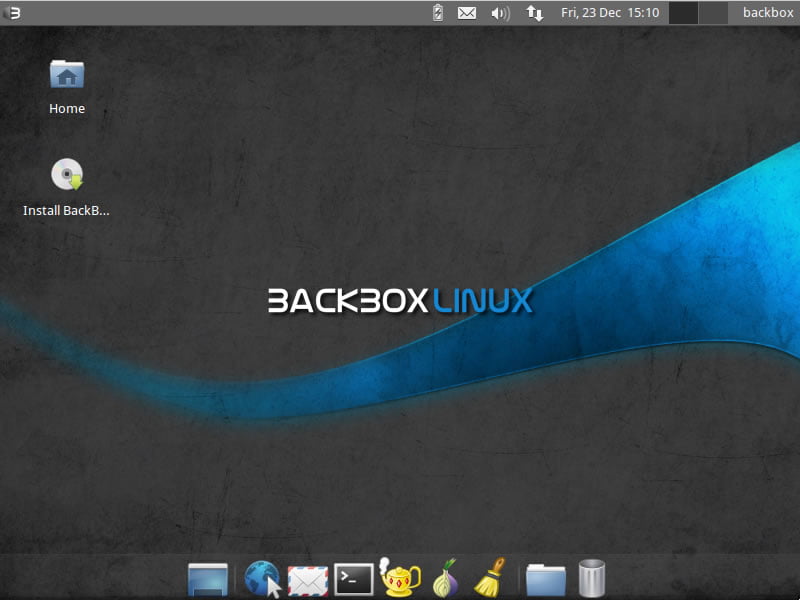
BackBox is an Ubuntu-based penetration testing Linux distribution. It provides penetration test and security assessment oriented providing a network and informatics systems analysis toolkit along with a complete set of other tools required for ethical hacking and security testing.
It includes some of the most used security and analysis Linux tools to help out security experts from stress tests to sniffing including vulnerability assessment, computer forensic analysis, and exploitation.
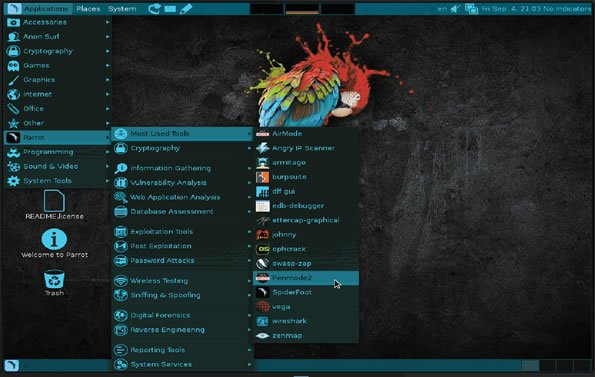
Parrot Security OS (or ParrotSec) is a GNU/LINUX distribution based on Debian. This Linux distribution for hackers is built in order to perform penetration testing, vulnerability assessment and mitigation, computer forensics and anonymous surfing. It has been developed by Frozenbox’s Team.
Parrot is cloud-friendly Linux distribution and unlike other ethical hacking operating systems, Parrot OS is a lightweight Linux distro — runs over machines which have minimum 265Mb of RAM and it is suitable for both 32bit (i386) and 64bit (amd64), with a special edition it works on old 32bit machines (486).
Live Hacking OS is a Linux distribution packed with tools and utilities for ethical hacking, penetration testing and countermeasure verification. It includes the graphical user interface GNOME inbuilt. There is a second variation available that has command line only, and it requires very fewer hardware requirements.
DEFT stands for Digital Evidence and Forensic Toolkit and it’s an open-source distribution of Linux built around the DART (Digital Advanced Response Toolkit) software and based on the Ubuntu operating system. It has been designed from the ground up to offer some of the best open-source computer forensics and incident response tools that can be used by individuals, IT auditors, investigators, military, and police.
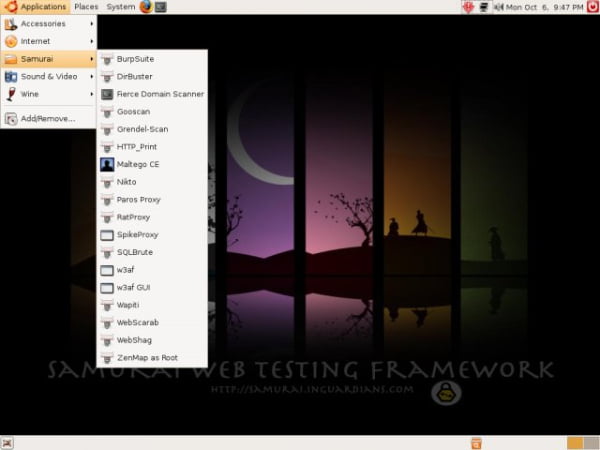
The Samurai Web Testing Framework is a live Linux environment that has been pre-configured to function as a web pen-testing environment. The CD contains the best of the open-source and free tools that focus on testing and attacking websites. In developing this environment, we have based our tool selection on the tools we use in our security practice. We have included the tools used in all four steps of a web pen-test.
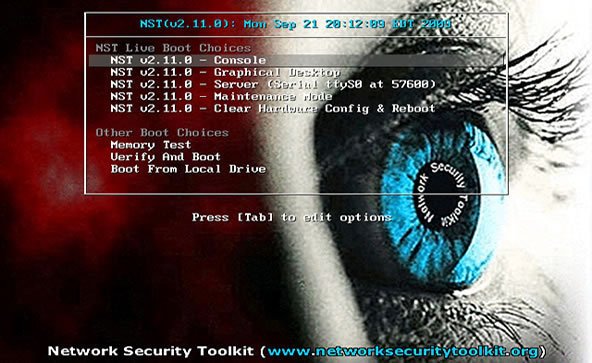
The Network Security Toolkit (NST) is a Linux-based Live CD that provides a set of open-source computer security and networking tools to perform routine security and networking diagnostic and monitoring tasks. The distribution can be used as a network security analysis, validation and monitoring tool on servers hosting virtual machines. The majority of tools published in the article “Top 125 security tools” by Insecure.org are available in the toolkit.
Bugtraq-II is a GNU/Linux distribution focused on digital forensics, penetration testing, malware laboratories, and GSM forensics. Bugtraq-II is available in 11 languages with more than 500 ethical security hacking tools installed and configured. Depending on your desktop environment, the features vary. The minimum requirements are based on XFCE and KDE, this ethical hacking os needs 1GHz x86 processor & 512 MB of system memory 15 GB of disk space for installation.
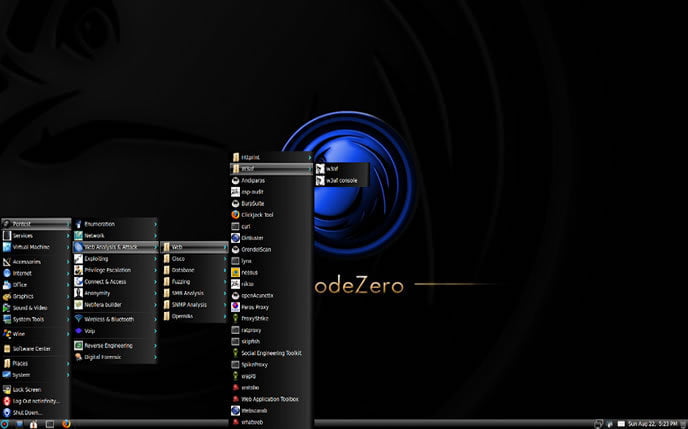
NodeZero is an open-source Linux kernel-based ethical hacking operating system derived from Ubuntu and designed to be used for penetration testing operations. Besides the fact that it allows you to start the live system, the boot menu contains various advanced options, such as the ability to perform a system memory diagnostic test, boot from a local drive, start the installer directly, as well as to boot in safe graphics mode, text mode or debug mode.
With NodeZero you will have instant access to over 300 penetration testing tools, as well as a set of basic services that are needed in penetration testing operations.
Pentoo is a Live CD and Live USB designed for penetration testing and security assessment. Based on Gentoo Linux, Pentoo is provided both as 32 and 64 bit installable LiveCD. Pentoo is also available as an overlay for an existing Gentoo installation. The Pentoo kernel includes grsecurity and PAX hardening and extra patches – with binaries compiled from a hardened toolchain with the latest nightly versions of some tools available.
That’s all!! If you think we forget to add some other favourite operating systems of hackers, please comment below. And also soon we will add more ethical hacking operating systems to the list.
Thanks!! And don't forget to share it with your friends...
Hi, I am Binit KC from Kohalpur-11, Banke, Nepal. I am currently working in the field of Programmer, Blogger, Graphics Designer, Ethical Hacker, Teacher & a Cyber Trainer with the experience of two plus year in the field of Technology.